Thursday, 13 August 2015

Newly Discovered Android Vulnerability Can Render Your Phone Or Tablet Useless

Newly Discovered Android Vulnerability Can Render Your Phone Or Tablet Useless

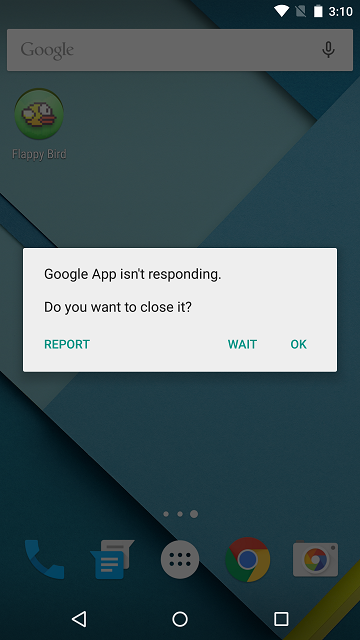
Security researchers at Trend Micro have discovered a new vulnerability that they claim is present in Android 4.3 Jelly Bean up to the latest Android 5.1.1 Lollipop, which constitute to almost half of the Android devices out there. The vulnerability, if and when exploited, could make your device silent, unable to make phone calls and completely unusable. This apparently is caused by the way Android handles media files.
The researchers already reported the issues to the Android engineering team back in May but the exploit is yet to be patched. Trend Micro explains that the bug is present in Android’s mediaserver service, which is used to index media files stored on the device. If a device tries to open a malformed MKV file, it causes the service to crash along with the entire operating system in the run to process it, thereby rendering the device unusable and preventing the user from interacting with it.

Android-dead
This will cause the device to become totally silent and non-responsive. This means that:
  • No ring tone, text tone, or notification sounds can be heard. The user will have have no idea of an incoming call/message, and cannot even accept a call. Neither party will hear each other.
  • The UI may become very slow to respond, or completely non-responsive. If the phone is locked, it cannot be unlocked.
mobile-shutdown-2
The report explains that the vulnerability can be exploited either via a website embedded with a malformed MKV file, or through a malicious app with an MKV file installed on a device that could cause the operating system to crash every time it attempts to turn on. With the latter approach, the malicious apps could be designed in a way so that it runs immediately every time the Android device restarts, therefore causing the operating system to crash upon boot.
As mentioned earlier, Trend Micro had already reported the vulnerability to Google on May 15, which was flagged as a low priority issue by the company and remains un-patched in the Android Open Source Project (AOSP). This bug comes in a few days after another team of security researchers discovered an exploit which could potentially allow malicious individuals to gain access to a device by simply sending a seemingly innocent text message to the targeted number.
Here’s a video demoing how a malicious app can be used to exploit this vulnerability.

Massive Android Flaw Certifi-gate Affects Millions Of Devices, Check If Your Phone Is At Risk

Massive Android Flaw Certifi-gate Affects Millions Of Devices, Check If Your Phone Is At Risk

Turn away now if you’re an Android smartphone user with a nervous disposition that has only been made worse with the recent spate of vulnerabilities within Google’s OS that have become public knowledge. A number of security researchers from Israel have yet more bad news for Android device owners after discovering a bug that could potentially allow malicious individuals to take control of an unwitting device through the distribution of a solitary text message. What’s even worse, is that unlike previously discovered Android vulnerabilities, this one doesn’t come with a simple fix.
There’s no better time or place than the annually held Black Hat Security Conference in Las Vegas to learn about vulnerabilities and potential flaws in popular operating systems. The latest bug to be found within Android, which incidentally has been given the name “Certifi-gate“, is extremely similar to a previously discovered bug that surfaced at the back end of last month, but differs in the fact that this issue is slightly more complicated due to the fact that it relates to how Android verifies – or doesn’t verify in this instance – installed apps with privilege permissions.
Android-Nexus-51.png
The specific apps outlined in the presentation by the Israeli team from Check Point Software Technologies are often referred to as mobile remote support tools, or mRST if you’re into abbreviated terms. Those specific applications are often used by assisting teams to provide remote based support when and if it’s required. Due to the fact that Google doesn’t ship Android with these apps installed – they are often added at a later date by carriers and manufacturers – and are not susceptible to verification of authenticity certificates even though the applications have elevated system privileges. That’s where things start to go wrong.
Certifi-gate
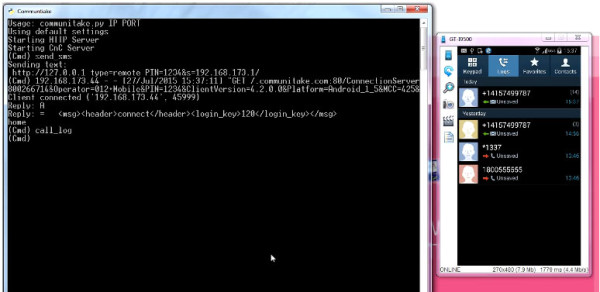
The immediate concern for Android users is that Check Point’s Ohad Bobrov, Avi Bashan et al have discovered a couple of relatively simple methods of spoofing certificates that can trick the mobile remote support tool for gaining almost unrestricted access to the target device. One method involved installing an innocuous looking flashlight application that requested only limited access to the device but was able to exploit the vulnerability to get full access. The second was via a seemingly innocent text message that had the capabilities of taking over the smartphone by triggering the remote access tool to issue a command.
Because the Black Hat Security Conference is all about discovering, sharing and ultimately fixing bugs, this one has already been addressed by Google and a number of device manufacturers. However, there are plenty of devices out in the wild that have yet to receive an update to fix this issue, and continue to remain vulnerable.
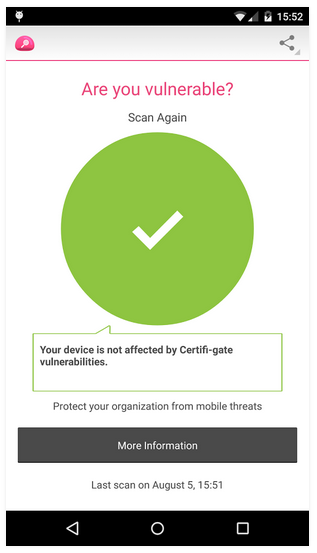
With that said, the team at Check Point have released an app called Certifi-gate Scanner on Google Play, with the purpose of helping users discover if their device is vulnerable to the exploits outlined here. You can download the app from here and check whether your phone is vulnerable to this hack or not.
Certifi-gate Scanner
You can follow us on Twitter, add us to your circle on Google+ or like our Facebook page to keep yourself updated on all the latest from Microsoft, Google, Apple and the web

Stagefright Bug: How To Check If Your Android Phone Is Vulnerable

Stagefright Bug: How To Check If Your Android Phone Is Vulnerable

It seems like the malware alarm bells have been going off constantly for Android users over the last two weeks. We’ve had poorly implemented security in Android devices with biometric detection. We’ve had remote support tool applications that grant full access to a target device when provided with spoof certificates, and then we had Stagefright, a critical Android vulnerability that provides access to a device on the back of a malicious media message being received. If you have an Android device, and want to find out if Stagefright is a potential issue for you, then this new detection app should be your first port of call.
We really can’t offer up any prizes for anyone who guesses what the aptly named Stagefright Detector App serves up in terms of functionality. The official app from Zimperium, the company that actually searched and presented findings on the bug, has built the application as a free-of-charge tool for individuals who have serious concerns about the security of their Android smartphone or tablet. The company may have provided patches to Google and manufacturers as part of the Zimperium Handset Alliance, but as the company rightly points out, “it may be years until they reach all devices”.
StageFright v2
The Stagefright Detector App is extremely easy to use and exists with two purposes in mind; to immediately inform you if the installed device is susceptible to the Stagefright vulnerability, and whether or not you need to update to a newer version of the installed operating system. In that sense, its simplicity means that it does exactly what it says on the tin and does it with relative ease and speed. Once the app is installed, simply tap on ‘Begin Analysis’ button for the process to begin, as can be seen in the screenshot below.
StageFright Detector
Stagefright is defined by Zimperium Inc. as a critical Android vulnerability. The bug within the Android operating system potentially affords malicious individuals, the ability to gain system or media access on the back of a malware-laden multimedia message.
StageFright Detector-2
The terrifying part of the whole process is that the media message is actually processed and executed by the OS without any user-interaction, effectively automating the whole device takeover. The infected multimedia message, which would contain a rather innocent looking video for example, then has the ability to delete itself before detection. The potential for damage is rather large which is why it’s important to check out this free app right now.
(Download: Stagefright Detector App for Android devices from Google Play).
You can follow us on Twitter, add us to your circle on Google+ or like our Facebook page to keep yourself updated on all the latest from Microsoft, Google, Apple and the web.

Download Google Play Store 5.8.8 APK

Download Google Play Store 5.8.8 APK

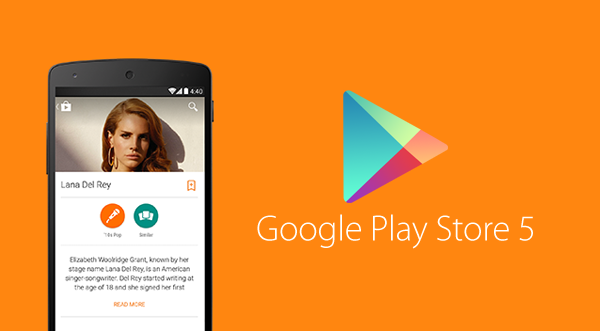
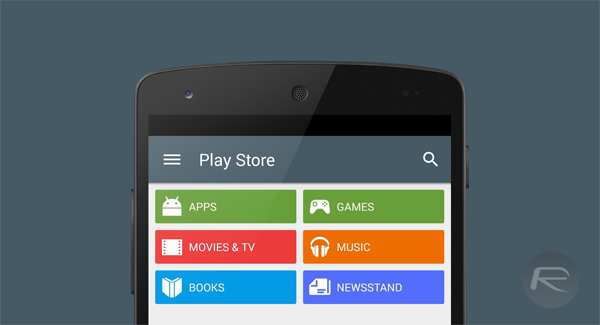
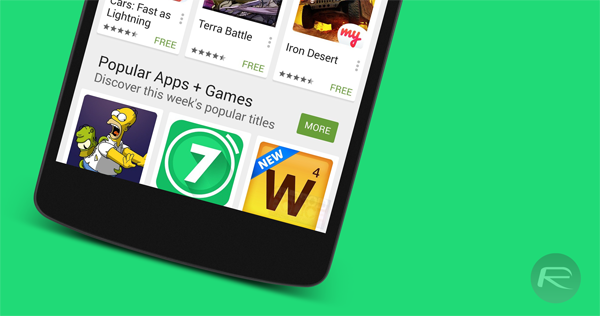
Google Play APK 5.8.8 Update: You can now download the latest version 5.8.8 of Google Play Store APK which brings with it a bunch of changes and bug fixes that users have been facing for quite a while. This release also includes more Material Design, Details Page, updated look for What’s New, Wearable sensors/activity data, Enterprise apps support, among other things. The download link below has been updated with latest version.
The all new Google Play Store carries more elements of Material Design compared to initial releases of Android Lollipop. Apps like Google Play Newsstand, Gmail, Google+ are all now updated with additional Material Design elements.
You will also notice that the app icon for the new Play Store carrier the new, flatter look, keeping itself in line with Material Design’s aesthetics.
Play Store 5
Apart from the design language, things have changed under the hood as well. Fire up the app and you will instantly recognize the subtle changes in animations for say, when accessing the slide-out drawer menu, along with changes in the iconography.
The What’s New section has been moved to the top and is now visibly highlighted in green, allowing for it to be prominently visible in each application listing.
Play Store 5 nexus 5
Even the Widget Suggestion icons for the home screen have changed, maintaining the flat, paper like design, as was expected. Google went to the extent of changing the notification icon for the status bar as well, after all, it is this attention to detail that ultimately counts.
Version 5.8.8 of Play Store should start rolling out to users over the course of the next few days, but, we can’t be entirely sure, and it may take longer. Regardless, if you do not want to wait for that update to hit your device, you can download the APK of this new version of Google Play Store from the link at the foot of this post, side-load it, and give it a run.
Play Store 5 nexus
Please note that this APK is not quite ready for Android M Developer Preview or ROM ports based on the Preview images. If you did not pay heed to this warning, and your Play Store is crashing, you will need to revert to an older version to get things up and running again.
If you happen to have tried the new Play Store and are running it on your device, do share your thoughts and opinions on the changes and any other improvements that we may have missed.
Download Google Play Store APK version 5.8.8 from here.
Make sure to check out our Android Apps gallery to explore more apps for your Android device.
You can follow us on Twitter, add us to your circle on Google+ or like our Facebook page to keep yourself updated on all the latest from Microsoft, Google, Apple and the web.

Google Is Now A Subsidiary Of A New Company Called Alphabet, Here Are The Details

Google Is Now A Subsidiary Of A New Company Called Alphabet, Here Are The Details

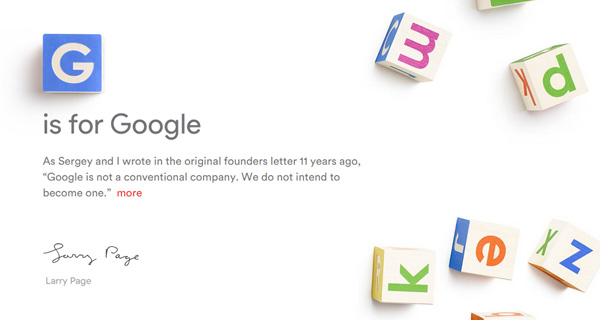
A new chapter in Google’s history unfolded earlier today, when co-founder Larry Page announced that the company and all its ventures will henceforth be operating under a new parent company called Alphabet Inc., spearheaded by Page himself as CEO and co-founder Sergey Brin as President.
Google has always been an exploratory company, never afraid to experiment with and invest in new ideas in a multitude of fields, no matter how crazy they may seem. This move, as Page explains in his post on the official Google blog and abc.xyz website, is to streamline these efforts while providing greater transparency and flexibility to each. Google Inc. itself will be “slimmed down” as part of this change with Sundar Pichai taking over the reigns as CEO. With Google becoming a subsidiary of Alphabet, it will be replaced by Alphabet Inc. as the publicly-traded entity while the ticker symbols for its shares (GOOGL, GOOG) remain the same.
Alphabet
The name ‘Alphabet’ is homage to the letters that make up a language or as Page sees it, “one of humanity’s most important innovations”, and Alpha – the measure of an investment’s performance against a benchmark index.
While this doesn’t mean much to the average Google consumer – apart from the fact that it is simply easier to understand – it isn’t one to be dismissed as daily noise. With a separate CEO running each arm with complete independence, such a restructuring should help drive more focus at Google as well as other ventures that don’t share much in products or services with the Internet giant, such as Capital, Nest, Ventures, Calico, the ISP Fiber, and X Labs, the research subsidiary that now works on Glass – all these will now be separate entities along with Google under the umbrella of Alphabet Inc. This means faster improvements for the Internet products we all use on a daily basis, more amazing ideas being explored, and possibly, relentless acquisitions. It should certainly have competitors rethinking their strategies.
G-is-for-Google-abc.xyz-Alphabet
It is clear that Google is looking to move even faster in its quest for new, game-changing ideas. While this might have competitors of each Alphabet subsidiary rethinking their strategies, it spells exciting times ahead for us consumers as well as aspiring entrepreneurs looking for the support of a stable collective.
The official Alphabet website is up at abc.xyz.
(Source: Google, Alphabet)
You can follow us on Twitter, add us to your circle on Google+ or like our Facebook page to keep yourself updated on all the latest from Microsoft, Google, Apple and the web.

Download Stagefright Fix For Android Nexus 6, 5 And Other Devices

Download Stagefright Fix For Android Nexus 6, 5 And Other Devices

Google has finally posted a fix for critical Android vulnerability called Stagefright that came into limelight late last month. The official fix is available now both as an OTA update and as factory images that you can flash directly on your device.
Supported Nexus devices for the fix include: Nexus 4, Nexus 5, Nexus 6, Nexus 7 (2013), Nexus 9, and Nexus 10. Apparently, Nexus 7 (2012) users have been left out as the device is now out of three-year window for receiving security updates support from Google.
StageFright v2
Google has also supplied the fix to Android hardware partners. So those of you with non-Nexus Android devices such as Samsung Galaxy, HTC One M[x] and others will have to wait for the OEMs to start rolling out the fix, which hopefully should be soon.
For those who don’t know, Stagefright is a critical Android vulnerability which can enable hackers to take over any device by simply sending a malicious text message to the victim’s device. According to a research, it affects 95% of Android devices around the world. To learn more on how Stagefright works, check out our detailed post on it here.
To check if your Android smartphone or tablet is vulnerable to this bug, follow our guide here: Stagefright Bug: How To Check If Your Android Phone Is Vulnerable.
To get the OTA update for the fix, head to Settings > About phone > System updates on your Nexus device and tap on Check for Update button, from there, simply install the latest Android system update. The build number for this Android 5.1.1 system security update is LMY48I.
Alternatively, if you haven’t received the OTA yet, you can download the factory image directly from Google for your Nexus device and flash it. Direct download links for Android 5.1.1 LMY48I factory images are given below:
red-nexus-5.png
We highly recommend updating your Android device to this new update as soon as possible.
You may also like to check out:
You can follow us on Twitter, add us to your circle on Google+ or like our Facebook page to keep yourself updated on all the latest from Microsoft, Google, Apple and the web.

Fix iTunes On Windows 10 Not Detecting / Recognizing iPhone, Here’s How

Fix iTunes On Windows 10 Not Detecting / Recognizing iPhone, Here’s How

Upgraded to Windows 10 and now iTunes is not detecting or recognizing your iPhone? Is short, it doesn’t see your iPhone or any other iOS device at all? You are not alone. After the upgrade, many people are complaining that iTunes is not recognizing their iOS device when connected to a PC running Windows 10.
If you have this issue, unfortunately there is no one single fix for this. You need to go through multiple checks and try them one by one to see if they fix your problem.
Windows 10 iTunes
Reboot both your iPhone and the PC:
First and foremost, reboot both your iOS device and your computer and then connect to see if this solves the problem.
Try a different USB port on your computer:
If you haven’t already, try to connect your iOS device on a different USB port to see if this fixes the problem.
Install / Reinstall latest version of iTunes:
As of this writing, version 12.2.1.16 is the latest version. Make sure you have this latest version installed. If you’re having issues installing it, follow our guide here on how to install iTunes on Windows 10 the right way: iTunes Won’t Install On Windows 10? Here’s How To Fix It.
Install all Windows updates:
Navigate to Settings (WinKey+I) > Update & security > Windows Update and make sure your computer is up to date with all Windows updates installed.
windows update 10 2
Trust your computer prompt:
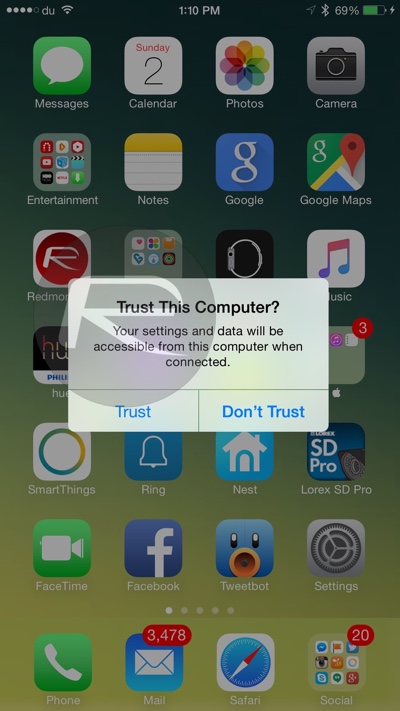
When you connect your iPhone, iPad or iPod touch to your computer and see ‘Trust This Computer?’ prompt on the device, make sure you tap on ‘Trust’ as shown in the screenshot below.
iPhone trust this computer
Apple Mobile Device Support, Service and USB Driver:
Check to see if Apple Mobile Device Support is installed from Control Panel > Uninstall a program. If it is not installed, you need to reinstall iTunes.
win10 itunes
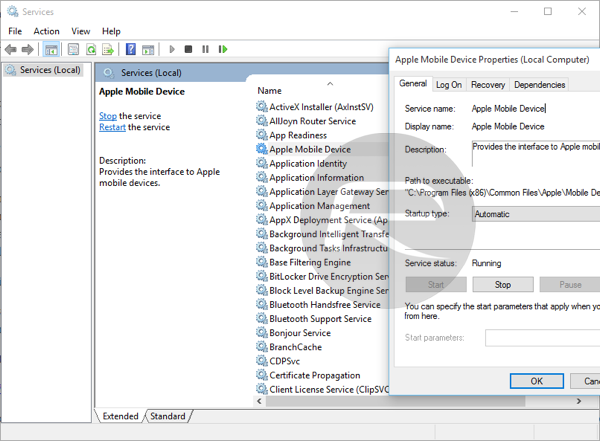
Restart Apple Mobile Device Service: Type services.msc in Run (WinKey+R) and hit enter. Locate Apple Mobile Device or Apple Mobile Device Service and then right click > Properties. Then click on Stop to stop the service. Click Start to run the service again. Reboot your computer.
win10 itunes 2
Check Apple Mobile Device USB Driver: Type devmgmt.msc in Run (WinKey+R) and hit enter. Expand Universal Serial Bus controllers entry and see if Apple Mobile Device USB Driver is listed.
Windows 10 itunes
If it is not listed, you need to reinstall iTunes and then connect your iOS device to your PC and wait for Windows to automatically install the driver. But if it is listed and has a “!” or “?” on it, you need to reinstall the driver. To do this:
  • Connect your iOS device to your computer and wait for like a minute.
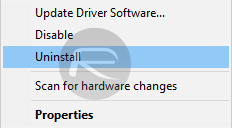
  • Now right click on Apple Mobile Device USB Driver and click on Uninstall. If asked, select “Delete the driver software for this device”.
win10 itunes 4
  • Once uninstalled, In the Device Manager window, right click on Universal Serial Bus controllers and then click on Scan for hardware changes.
win10 itunes 3
  • Windows will now automatically find and install the driver for you.
If everything fails:
If none of the above solutions help fix your problem, then it’s likely that a third-party software or driver on your computer is conflicting with iTunes and Apple’s services. You may want to do a clean install of Windows 10 on your computer to fix the problem. To do this, you can follow our guide here: How To Clean Install Windows 10 On Your PC The Right Way [Guide].
You may also like to check out:
You can follow us on Twitter, add us to your circle on Google+ or like our Facebook page to keep yourself updated on all the latest from Microsoft, Google, Apple and the web.
Advertisements

Wednesday, 24 June 2015

How to Identify a Scam Website in Pakistan?

How to Identify a Scam Website in Pakistan?    

Internet is without any doubt a great invention and has given a lot to the humanity in terms of providing free information and opportunities for everyone regardless religion, language, country and cast. But as every invention has two sides, the one which people positively use for better serving the humanity and the another one is using it for negative activities. And the same thing is happening with the internet since its invention. People use it for researching and publishing their stories, and also to buy any stuff online, companies use it for selling their products, for providing services and a lot more. While, there are a few number of people who use internet for bad activities such as making some people fool and getting money from them. There are hundreds and even thousands of scam websites which takes money from people for jobs or income and then don’t give that money back. Some scam websites offer online jobs and home-based work and when the users reach their withdrawal amount, they refuse to pay the payment, and don’t do a fair business with its customers.
scam websites alert
So in this article we’ll be addressing a very common issue called “Scam Websites” or it might also be called “Fraud websites”, I’ll give you some tips to identify whether a website is “Scam” or “real”. So after reading this article, its your turn to identify the website you are going to do a business with or a deal with. Alhamdullillah, I have common sense myself and have never been scammed by anyone on the internet. And I’ll share the same measures with you which I use for checking a website and its credibility.

How people are scammed on the internet?

I received many emails, SMS and comments from our readers and some people who were complaining that some sites or a site scammed them and didn’t refund their money back. They mostly complain about their own money which was taken from them by “Scam websites” in order to provide them benefits and income, but there was neither income nor the invested money was given back. My answer to all those brothers and sisters is; why didn’t you ask someone for the reality and credibility of that website before investing your money there?, if you quietly did everything yourself and then you came to know you’ve been plundered then why you are asking people to get your money back from them, but at the time you were blindly investing your money, you didn’t ask anyone.

How to Identify a Scam website?

So here I come with few indications that are given by the “Scam websites” themselves, which are common in each and every website who are doing bad business with people. Here is the list of those common indications which you must consider in order to identify whether the website is scam or not? and should you invest your money or not:
  • Mostly scam websites offer “Guarantee” on everything, even they offer you lifetime money back guarantee
  • Scam websites mostly don’t have the real owner or contact numbers on their websites
  • Scam websites mostly try to hide their country and office address
  • Scam websites are always designed with “colors” and “Shiny” words, so that one may be inspired by them easily
  • Most of the scam websites tell you a shortcut for getting success or making money online
The above are few indications which you can use to identify a scam website or a fraud company, but there are a lot more to be pointed out when making a decision about the reality of a website on the internet.
Some websites offer services like SEO, Web Designing, Web Development and making money online etc in Pakistan. So if you want to get any of their services then kindly first check their own ranking and reputation as well as their history in the market.
You can check anyone’s ranking using different tools such as Alexa.com, who.is and many other tools. You should also check the projects they have already done and ask their customers for more satisfaction. If their customers told you about their services and customer support that would be an extra information for you before making any decision.
If anyone is just offering you services they have not expertise in then it might be harmful for you in the future. you might lose your money as well as precious time.
My message is particularly for Pakistani users who are mostly being affected by scam sites because they mostly don’t consider the factors which I mentioned above. So be aware and do a comprehensive research before you join any website that asks you for investment.
Last Thing: 
In USA and western countries even the governments are taking care of people and making them aware from losing their money. So you can take a look at this FBI’s page for increasing your knowledge more and more in order to be on safe side:
There are however some other websites which can help you to detect how a website is secure and reliable, so you may always use these websites to check more about the website you are going to do any business with:
Note: All the above information provided by us is just for common awareness about identifying the spamming and fraud websites, we have not mentioned any particular website or company, its just for general purpose to identify a website or company on the internet.
Let me know in comments if you have further questions or you want to add any suggestions to this post, so people may get more help from your suggestions. Thank You!

How to Build an Efficient SEO Strategy?

How to Build an Efficient SEO Strategy?

SEO stands for Search Engine Optimization. It is one of the internet marketing strategies that is very effective for your website and very important for your online business. Through good SEO strategies you can improve the rank of your website and keep your website in the first page of Google. However, it requires a lot of research and efforts to keep your website’s ranking up to date, you’ll need to do something extra in order to keep balance between your website content and the marketing techniques. However, we’ll be sharing some simple tips with you for boosting up your ranking in very short period of time by doing real efforts yourself. The tips being shared on this page are not that extraordinary, but these are in fact the core ones for your website’s SEO, which you must keep in mind before moving forward to do some advance things.
seo-stragegies
There are many SEO strategies that you can follow to increase the rank of your website in the eyes of Google and stays in the first page of Google search. Let’s discuss some of key points that will help you to make a powerful strategy for your website.

#1. Website Design

Design of your website matters a lot. Have a little attention towards design of your website. Make sure that your website attracts the people not create difficulty for customers of your website. Select a very eye-catching and decent color for your website to attract the users of your website from different communities. Everyone who visits your website must easily navigate to any part of your website, so they’ll not leave it, but will spend sometime. And it decrease the bounce rate.

#2. High Quality Content

After the design of your website let’s come to the content of your website. Content of your website is very important to rank up your website in Google. Content is the one that takes people towards your website and enforce them to stay on your website for a time. Always try to post the content which is very informative, unique and up to date.If you provide a good quality content on your website and ensure this in your every post than you might get subscriptions from your customers. This increases your website’s traffic tremendously. Higher the number of subscriber shows that you have a very powerful content on your website which users like the most. Google also consider this popularity of your website among the users to rank up your website. Make sure that content on your website must be SEO-enriched that serves a very useful purpose to readers of your website.Keep in mind that Google continuously changes and enhances its searching algorithms to get the high quality websites on its first page.

#3. HTML of your Website

HTML tags of your website helps Google to move through the content of your website efficiently and quickly. Google also ensure that either your website is relevant to your keywords or not by HTML tags of your website. HTML tags also organize the content of your website. It is very clear now that you should work hard on HTML tags of any page of your website, specially the most important tags i.e. HTML meta tags and heading tags.

#4. Relevant Keywords

Relevant keywords are those which are most appropriate and represent the topic of your website. Keywords are the word or term which user enters in Google search and then Google moves through different websites and fetches the websites having those  keywords and shows in the search result. Keywords are the ones which actually bring customers to your website from Google. Make sure that you use your targeted keywords within the name of web pages, meta tags, descriptions and headings of your website.

#5. Social Media is Important Today

After doing all above, I’d also suggest to not forget social media networks i.e Google+, Facebook, Twitter, Pinterest and LinkedIn, because by using these social networks you can not only drive tons of traffic towards your website, but also increase your search engines ranking. Force people to share your content over social media with their friends. The more people share your content, the more will be better your ranking. Give more importance to Google+ and increase your circles over there for better visibility in Google searches.
Let us know if you have got any questions regarding your SEO strategy or something related to your blog/website. We’ll be happy to answer your all questions only using below commenting system. Thanks for reading!
About the Author:
Ghulam e Mustafa is a well experienced in web design, development and SEO. He shared about making an effective SEO strategy, you can find him @ his website on www.webmasterseye.com

How to Improve Page Rank of your Website?

How to Improve Page Rank of your Website?


Just yesterday we were shocked by Google when we saw a new Pagerank Update in December 2013. This was a shock because Google had not updated its Page Rank toolbar since February 2013 (as usually it get updated after every 3 months), and its now been 10 months we didn’t see any updates from Google. But it just happened yesterday on 5th December. Everyone () is now feeling relaxed after having this update seen, because many of the pros and experts were even saying that there will be no PR update in 2014, this included Mr. Matt Cutts who is the Head of Google Web Spam (Mattcutts.com/blog). But now the fact has been disclosed by Google itself that Page Rank still exists and will be in the future. So now we should work hard to improve our site/blog’s page rank before next PR update which might be probably after three months in March 2014. So here via this post, I’ll discuss some particular tips with you regarding improving PR of your site.
Google-Pagerank
These are few tips that will help you in improving your site’s Page Rank over the next 3 months before next PR update, so you may start working over your site off-page SEO in order to be having a good PR next time. The tips are ordinary which you might have already read on other sites, but I’ll try to put something extra on it, so you can easily understand it and apply it over your sites right now.

#1. Write Quality & Unique Content

This may not sound good to you, but undoubtedly quality and unique content can improve your PageRank rapidly, this is because Google gives priority to quality content and its authors, if you remember .Edu sites which have great PRs without having enough backlinks, and backlinks are considered the backbone for getting a high pagerank. So then why the .Edu sites get high PR from Google, also I’ve seen authors who have just written great content and without a single backlink they got PR3 and PR4 from Google just because their content/articles were up to the mark. Moreover, your quality content might be shared by others and also linked by others, so you get free backlinks for your content from everywhere.

#2. Start Guest Posting Today

This is a genuine method for improving your PR on early basis, you need to write quality content for other websites in your niche, this way you’ll get one or two backlinks for your site from every blog where you’ve guest posted. Guest posting is a job something like you are cooking eggs for someone else, but in return you are given some respect in terms of one or two backlinks which may help you in upcoming Google PR update, you should find the websites/blogs related to your topic and request them if you can write for them. In the starting try to write for PR2 blogs and then try to write for PR3,PR4 and PR5 blogs/sites. So your every guest post will bring a lot of visitors back to your site as well as a permanent backlink for improving your PR.

#3. Blog Comments & Social Media

You can’t be lazy, you must at least take out 30 minutes everyday to go to your favorite blogs and comment there, you need to at least leave 20 comments daily on different websites which are related to your topic, so this way you’ll get some positive links which will help you improving your own PR over next Google Update. Moreover, try to at least create profiles on Facebook, Twitter, Pinterest, Google+, LinkedIn, Stumbleupon, Digg and Riddit.com. These all social networking sites are free to join and you can just add your site/blog’s URL in your profile over there. This way you are creating some great backlinks forever. Don’t be late, just go for it.
Don’t miss these posts: 

#4. Don’t be selfish, Help someone on Forums & get response

If you try, there are many helpful forums around the web, where you can find threads on every topic, so you can join and you must join these forums in order to create backlinks for your site. Not only you will improve your PR but you’ll also help people there. And of course, you’ll learn something new over each forum you join. Every comment or reply you leave over these forums, you’ll get a backlink for your own site. So this is not a bad deal, go for it. Just write in Google a keyword like this “Best forums to join“.

#5. Create something and see a BOOST

This is something like a secret, you probably have visited a website spelled “btemplates.com” which is a resource for free blogger templates, and if you check it on Alexa.com then you’ll be surprised to see that this site is having 12000 backlinks, which is a huge amount. However, the free templates shared by Btemplates are not mostly created by themselves, but despite that they have thousands of free backlinks from different sources. So if you create a simple blogger template or a beautiful blogger widget then you can easily get hundred and even thousands of backlinks. You can simply convert WordPress themes to Blogger or you can just create a simple blogger widget which can attract people, you just need to add your blog/site’s link in the footer of that template/widget and every person uses that will give you a free backlink from their site. And this way you’ll create more backlinks in very short time. I’ve seen even kids are doing this and getting thousands of links.
Also keep this in mind
This is the last tip for improving your PR over next G-Update, you should always interlink your older posts with the new ones you write every single day or anytime you do. Just find some keywords in your recent post, and interlink them with relevant posts you already published on your site/blog, this is actually called interlinking. So by using this way you can also improve your Page rank and if you want to improve the PR of your blog’s Home Page more rapidly then just use your home page link most often in posts with relevant keywords and see the boost in next Google PR update.
We got PR2 this time, but Inshallah we’ll get either PR3 or PR4 in upcoming Google PR update, so stay tuned for more tips and share your experience and what did you get over this page rank update from Google? share your views in the comments. Thanks anyway, for reading this long post.

How to Make Money with BuySellAds

How to Make Money with BuySellAds

In my last video series, we discussed about “Applying for Adsense Account in Urdu“. But there is one more great platform for content creators called “BuySellAds” which is not designed as Adsense, but it’s more powerful than Adsense in terms of everything. Adsense is a PPC (Pay Per Click) ad network which pays publishers when the ads are clicked by the visitors, while BuySellAds (BSA) is much different than Adsense. BSA is a direct banners ad network which will allow you to insert blank Ad spots inside your blog/site and whenever an advertiser will be interested to display an ad over your site, he/she will directly contact BSA to show their interest in your site, and after that you’ll accept the ad. The ads are displayed on your site for a minimum period of 30 days regardless any clicks or impressions. So here you have an advantage that you’ll get a sponsor for the whole month, and the payment will be confirmed.
buysellads approval
BSA works as a Gateway between the publisher & the advertiser, You’re a publisher who has a website & content to monetize, and an advertiser is looking for a website to offer their advert, so BSA will find advertisers for you and you’ll be paid on monthly basis. However, BSA takes some of the service charges from your earning, but don’t worry, its very low and less than Google Adsense.

How Much can you earn from BuySellAds?

There is no exact figure for earning with BSA, but it all depends on the traffic you have on your website. And more importantly, if your site is approved by BSA, because BSA doesn’t easily accept new websites. So you have to work hard to be approved by BuySellAds.com. Once your site is approved, you can instantly show their ad spots on your site. Usually a website with 50K monthly impressions earns up to $500 per month from BSA. So the more visitors you have, the more earning will be there.
Moreover, the topic of your site also matters in terms of earning with BuySellads. Topics related to technology get high paying advertisers and they make more money than celebrity, sports & other general topics. Make Money Online, SEO, Web Development and web designing topics are most high paying for BSA advertisers.
Read this one also: Alternatives to BuySellAds

Criteria for getting an Approval from BSA?

You can create your account at BSA without any requirements, but for inserting BSA ads, you must have at least one website approved by them. So for approving your site, you’ll first have to submit that for review. Your website must meet their minimum criteria in order to be easily approved by them. And here is the simplest criteria before applying for BSA:
  • Your site must receive 30,000 or above monthly impressions
  • Your site must be in English
  • Your site must have a professional looking design (Very important)
  • Your site must have at least 50 or above posts/articles
  • Your site must be at least 4 months old (For new site approval)
  • No hacking, no cracking, no pornography, no adult content, no plagiarism
The above mentioned points are must before you submit your website for a review. However, you must read their criteria listed on their own website before applying.
Now here is the video tutorials series for this whole procedure in Urdu language, which I just created for you. These video tutorials are the part of my upcoming “4 Ways to Make Money online in Urdu” course, which is on the way and soon will be released in DVDs, but you can enjoy the free videos here:
Make Money with BuySellAds video 1 in Urdu
Make Money with BuySellAds video 2 inSo after watching the above videos, I hopefully can say, you have understood how does BSA work basically. But one thing is sure that if you got an approval from BSA than you can make more money with it. Even it’s a bigger thing than Adsense.
If you have any questions regarding this post or you want to add some more tips then kindly use our comment section.

Best SEO Link Building methods in 2014

Best SEO Link Building methods in 2015

Link building is a must part of any SEO project. I must say ranking your website is incomplete without doing link building. your website’s link building is done in an appropriate way. If you are confused about what are the best SEO link building methods then not to worry, we would here give you an updated overview of the best strategies. I am sure by following these easy to understand link building methods, you be able to enjoy the good blog ranking because Google continuously updates its algorithm strategies and this is why an SEO project handler should keep in mind the following link building strategies and methods.
seo-link-building-2014
Before going to know about the tips, have a look at following SEO tutorials: 

#1, Good Content matters:

I don’t know if you have noticed it or not but the quality of contents and articles is the key to success for every SEO project. It is a tip of SEO strategy that you should always create well engaged content and articles for your website. The importance of good and quality content can not be ignored in SEO link building, because it would become the reason for you to get maximum traffic from social media and other networks.

#2, Quality Info-graphics:

Google always prefer the blogs to rank higher which have best and quality info-graphics. For this reason, you have to create top notch and valid info-graphics for your blog or website. Try your level best to create best info-graphics with valid data source so that your web site gets ranked higher. Another must remember thing is that you should embed your code in a way that no one else can track or hack it. This would tremendously increase your blog ranking because it is a very effective link building method.

#3, Directory Submissions:

Google prefer the blogs and websites which have used quality directories in order to submit their contents. Thus, directory submission is yet another very effective SEO link building method. The blogs which implement quality directory submission strategies, usually get very good PR. So you need to use the web directories as per your blog niche and submit it as much as you can.

#4, Guest Posting:

Guest posting is yet another very efficient SEO link building method. Try you get information about the best websites or blogs with PR 1 to 3 in order to write guest posts at. Within every article / post you write at such blogs, you can insert your own website’s link in order to get direct organic traffic. Almost all the bloggers and SEOs make use of this link building ideas because so far it has been a proven effective method to rank the websites. It is due to the reason that Google and other search engines crawl such websites better and easier so their rankings go higher and higher.
But make sure, you guest post for quality blogs and you know the website owner better for whom you are doing guest posting, because recently Google’s head of web spam (Matt Cutts) hinted to not do this practice everywhere for the sake of backlinks, but yeah, it’s still a great method to create backlinks but with authority and interaction.

#5, Using Social Media Networking Websites:

You should try to use as many social networking communities and forums in order to build quality links for your website. This can be done when you create both personal and professional profiles at facebook, twitter, linked-in, google+ and other social networking websites, and once the profiles have been created then the next step is to join the comments and communications and leave your website link over there. The more you input your efforts in this regard, the better organic traffic would be generated to your website, and thus the better would be its ranking.
All these methods are quite easy and once you get to know their significant role in ranking the website higher, I am sure you wouldn’t miss the chance of following them so that quality links are built for your website. So how did you like my post? Please let me know with your comments.

10 Killer tips to increase Blog Visitors in 2014

10 Killer tips to increase Blog Visitors in 2014


Generating more and more organic traffic towards a blog has become a necessity for survival in the World Wide Web. Many of us use to adopt the ways and tricks to increase blog visitors, so that we can enjoy huge earnings from adsense and affiliate marketing strategies. The urge to become dominating in the world of internet leads every blog owner work hard and hard. So if you want to know which tips would really be effective to help your generate blog visitors, then here you are.
The More you learn about SEO, the more you’ll be rewarded by search engines, so you need to consider the year 2014 as game changing year, and focus on all of your SEO strategies once again. So you might get success and bring your website on the top of Google. Let’s have a look at the tips below.
tips-to-increase-blog-visitors

#1; Claiming the blog domain:

Most of the people don’t care of claiming the hosting and domain services of their blogs with their own name. But to rank your website better in Alexa ranking you have to claim both the domain and hosting with your name. This is very easy, you can just verify your site in Alexa by putting its meta tag inside your site or uploading the HTML file they provide, and for domain name you can use Google Webmaster tools.

#2; Set-up Alexa widgets:

To maximize your chances of getting more traffic for your blog, you should set up alexa widgets on it. This is essential due to the reason that Alexa keeps a record of the hits and impressions which fall under its widget system. This would definitely help you increase your visitor as you would be clear with how to improve the ranking at alexa.

#3; Generate quality Backlinks:

The significant role of backlinks in the life of a blog or website can not be ignored. By generating quality backlinks with different strategies such as forum posting, guest article writing etc. you can be ensured that quality backlinks are being developed for your blog and ultimately it is getting double and triple the traffic of what you desired / expected.

#4; Generate massive traffic from forums:

Forums are the places where millions and billions of people come and join different conversation on a daily basis. So this is your golden opportunity to generate massive traffic from forums towards your blog. Take interest in forum communications and become a part of the conversations and insert your blog link over there. This would ultimately help you increase blog visitors tremendously.

#5; Become social media habitual:

The use of social networking websites such as facebook, twitter, linked-in and google+ etc. is a must to generate traffic for the blog. If you really want to maximize the number of visitors for your blog, then you have to become habitual of updating your social media pages and profiles on a regular basis.

#6; Try using your email signatures:

Many of the people / visitors who come to your website and contact your via email or Contact Us form are crazy about professional email signatures. Make sure when you respond their inquiries, you have inserted a catchy email signature to keep them occupied and urge them visit your blog again and again.

#7; Use simple domain names:

The readers usually give preference to the blogs and websites which have simple and short formed domain names. Make sure you have the one which can easily be memorized. This would definitely help the readers visit your blog again and again as they would find it to be no problem in typing your simple and quicker domain name in the search box.

#8; Hire an SEO:

Without taking help of an SEO, you can not generate traffic for your blog. Make sure whoever you hire for this purpose is experienced enough to get your work done properly.

#9; Take advantage of communities:

No matter the communities are of social media websites like facebook or some other marketplaces like blogger.com, you can always take advantage of them to increase your blog visitors. Insert your blog links at such platforms more and more so that the people can know about it and are urged to visit it regularly for getting updates.

#10; Online Marketing:

Online marketing is a kind of promotional idea to spread the URL of your blog around the globe. So you can also use this tip to be ensured that your blog is being visited by numerous potential readers or clients.
If you have any question or have more tips & ideas then don’t hesitate and share them in the comment section, so we can love your voice. You can also share this post with everyone if you liked it

SEO Keyword Research – Top 6 Tools

SEO Keyword Research – Top 6 Tools


With the passage of time, Google has made it quite tough for the blogs to get ranked better. So many rules and strategies have to keep in mind including proper use of keywords, well-engaged content, domain name, marketing, promotion as well as appropriate SEO. Without all these things, we can not even imagine of getting our blogs and websites ranked higher in the search engines.
To make the keyword research easier for the SEOs, plenty of tools are available. What you have to do is to insert your desired keyword idea to get relevant suggestions with an automatic keyword research system. If you are a little confused of which SEO keyword research tools would be best and most appropriate, then here are some useful suggestions to consider while searching both short tail and long tail keywords.
 seo-keyword-research-tools

#1. Wordtracker:

Wordtracker is one of the most favorite keyword research tools of SEOs and marketers. This tool kit provides you plenty of features and options to get facilitated with while searching your list of keywords. But it is not free of cost, you have to pay a monthly subscription fee in order to make use of it.

#2. Keyword Discovery:

Keyword Discovery is yet another wonderful keyword research tool which lets you get desired keywords by using it pulling from top to end option. With Keyword Discovery, you can also enjoy bidding values on PPC campaigns which get translated into informative data. Its premium version is available by paying a few hundred dollars annually.

#3. Google Adword Tool:

I must say Google Adword is the most appropriate and extensively used keyword research tool all over the world. If I am not wrong then almost 70 to 80 percent website and blog owners make use of Google Adword to find their desired list of keywords. Another plus point of Google Adword is that it is free of cost. Along with the words and phrases, it also provides you the suggested list of short tail and long tail keywords on a global search basis.
Note: For researching keywords, you can use “Keyword Planner” available in Google Adword.

4. Ubersuggest:

Ubersuggest is also a very handy and easy to use keyword research tool. Unlike other traditional keyword research toolkits, Ubersuggest pulls a lot of suggestions on the basis of global research and presents you the list of keywords which are ranked higher by the search engines.

5. SEOBook Keyword List Generator:

SEOBook Keyword List Generator is a quite easy to use keyword research tool. It provides you the facility generating appropriate keywords and phrases. Many of us also call it a nifty keyword research program. To make best use of SEOBook Keyword List Generator, you should either use Chrome or Firefox as the default browser.

6. SpyFu:

With SpyFu, you can see which of your competitors are going up and which are going down in the rankings of search engines. Isn’t it amazing that now you would have clear idea of which keywords your competitors are making use of for the purpose of competing you in the World Wide Web? Yes it definitely is a wonderful idea. So monitor your website niche’ status by inserting your keywords into this tool, and also get the most desired and appropriate list of keywords which you can make use of in writing your web contents / articles.

7. Bing Keyword Research Tool:

We can say it for sure that Bing Keyword research program is not behind the race than Google Adword. It, instead, can be of great help in searching the keywords which can maximize your chances of getting organic traffic for. Bing would also help you get your keywords in multiple languages.
If you still wants to find more about Related to SEO tools then read following posts

On-Page SEO – Keyword Density-Prominence & Proximity

On-Page SEO – Keyword Density-Prominence & Proximity


This article & video tutorial in Urdu belongs to the same series which we started a few days ago on Search Engine Optimization in Urdu. Today, we’ll be learning about Keyword Density, Keyword Prominence & Keyword Proximity. Along with these three On-Page SEO elements, we’ll also learn the rest of the on-page SEO for an article or a single page which we try to optimize before publishing it on our website. Today’s tutorial gives you a very deep insight about on-Page SEO and the above mentioned three important SEO components for 2014. All you have to do is to follow this series till the end, and you’ll learn the important points to note before either doing SEO of your website or applying somewhere for an SEO job. Let’s get started.
seo-1-for-blog

What’s Keyword Density – Prominence & Proximity?

These all three SEO components are straight belonging to On-Page optimization, we should always take care of these three while optimizing & placing keywords in our articles. To be more clearer on the above terms, let’s know about them below.
Keyword Density = The number of keywords you use in an article is called “Keyword Density”, the maximum keyword density you can put in an article is almost 3%, while if you keep your Keyword Density upto 2% that would be more better for you and things will be balanced. Example :- if you have an article of 500 words, and your keyword is “SEO tips” then you can use “SEO Tips” 15 times in the entire article (maximum) but using it 10 times is more better.
Keyword Prominence = The placements of the keywords in an article is called “Keyword Prominence”, There are many places you can show your keywords on the page so that search engines can discover them easily. Mostly the keyword is being shown in difference places of the page; for example the title of the page, URL of the page, Meta description of the page, Keyword in the starting of the article, Keyword in headings i.e H1, H2 and you can also show your keyword in an Image using ALT attribute. So the more earlier you show up your keyword, the more it will be better for you in terms of “Keyword Prominence”. However, make it balanced, and don’t do keyword stuffing which can destroy your blog/website within days.
Keyword Proximity = The distance between the exact words in a keyword is called “Keyword Proximity”, for example if a person searches for “How to create quality backlinks in 2014″ and Google shows him this result “Quality Backlinks & how to create them?”, so in this scenario the exact keyword is “Create Quality Backlinks“, while in Google’s result there is a distance between the words “Quality Backlinks” And the word “Create“, so this is basically called “Keyword Proximity“, the more closer the exact words are, the more it will be considered as high “Keyword Proximity” which is good and better. If all of the words are exactly next to each other that would mean 100% perfect Keyword Proximity, however, if one word is away from the others that would make it 80% perfect. And if there are three words as in the above example and all are far from one another then it would mean there is less than 50% keyword proximity, which is not good at all from search engine’s point of view.
I think it’s enough theory about these terms, if you are still confused about it then don’t worry, here is the video tutorial for it in Urdu & Hindi languages which will make you understand practically.

Keyword Density – Prominence – Proximity in Urdu (video)After watching the video in Urdu, I hope you’ve understood it easily. Those who have not watched the previous tutorials of this series can watch it from here:

I would like you to share this tutorial with everyone, and let me know about your thoughts, questions & feedback using below comment form. Thanks buddies! 

Google Hummingbird, Panda & Penguin Algorithms

Google Hummingbird, Panda & Penguin Algorithms


Google is the major search engine and SEO’s always look towards it for ranking & traffic. Whether it’s a small blogger or a big company, all follow Google’s rules & regulations to implement SEO and keep balance between SEO & their content. In order to understand how Google search works and how it’s algorithms are frequently updated, we need to understand it’s core mechanism first. Google came into being on 3 September in 1998 and since then it has updated it’s search process & systems more than 100 times. The latest system/algorithm is called “Hummingbird” which we are going to discuss throughout this article and we also have a detailed video tutorial for you in Urdu. Along with Hummingbird we’ll also discuss “Google Panda” and “Google Penguin” which are particularly designed to detect spamming on the web. Latent Semantic Search or LSI is also a part of today’s tutorial.
hummingbird-panda-penguin
First, we’ll give you a little bit description for each part included in this tutorial, for example Panda, Penguin, LSI and Hummingbird, after that you can watch the video tutorial in Urdu/Hindi languages to understand it practically.

What’s is Google Panda?

Google Panda is a particular Google algorithm (released in February 2011) which detects websites/blogs that are involved in following activities listed below.
  • Blogs which produce low quality content
  • Blogs which publish copied or duplicate content
  • Blogs overall involve in black hat spamming techniques
You must be aware of above points in order to be on a safe side from Google Panda. To avoid losing your search traffic you need to watch the video and also avoid using bad SEO tactics.

What’s Google Penguin?

Google Penguin is another specific algorithm designed for detecting spamming on the web, it was initially released in April 2012, however, many of it’s versions were released previously with the passage of time. It will affect websites involved in following activities:
  • Unnatural link building  + Paid Links
  • Keyword Stuffing
  • Excessive Keyword Density
If you want to be on safe side then avoid doing above practices. However, this algorithm or Panda are not directly related to basic Google search system i.e Crawling, Indexing and sorting web pages. These are just to detect the spam websites within the already indexed pages.

What’s Hummingbird?

Hummingbird is actually the main replacement to the old overall search algorithm of Google. This was announced by Google in the last month of 2013. However, it’s now working and Google search system has gotten a new fast technology in shape of Hummingbird. What’s the difference between the old and this new search algorithm? here are some highlights:
  • Hummingbird mainly has improved “Conversational search”
  • It will work with “Google Knowledge Graph” in particular
  • It will know the meaning of the words in a query, instead of the keyword itself
  • It will work much more faster than all previous algorithms
  • It will bring more than 30 medium of content i.e Image, web, weather, scores, ages, videos, news and so many others
  • It will work with LSI (Latent Semantic Search) jointly
  • It will also look closer into Social Media hints
The above are few examples that Hummingbird will take care of, however, there are many more facts I can’t tell you in the article. You need to now watch the video in Urdu to understand it more easily.

Google Hummingbird, Panda & Penguin Video in UrduIn the above video, I’ve mostly talked about the importance of Hummingbird and the facts which are the part of Google’s strategies beyond 2014. You have to understand that Google will no longer be your friend if you don’t work hard. It’s now up to you how you react to Google Hummingbird as a blogger or webmaster.

However, one thing is 100% sure that SEO has not died and will never die, because Google will always need new facts & information from different cultures, languages, countries, regions and even from personalities. So this is what you need to do and understand.
You can also watch the previous parts of this series: 
Please let me know in the comments, if you have questions related to this part of the new SEO series or you want to say something about upcoming parts of this series.

Page & Domain Authority

Page & Domain Authority

 Page Authority & Domain Authority are those terms which have taken place in SEO’s minds. Today, they are discussed most often over SEO forums and blogs. I therefore, thought to create a complete tutorial on it in Urdu and thus I’m here with a tutorial regarding PA & DA in Urdu language. These terms were basically created by Moz.com (Formally known as SEOMoz.com) few years back, but now it’s very important to understand. People from some corners make it Google’s approach towards domains & web pages, but this is not in any way related to Google. I’ll tell you how it works and how it’s determined by the MoZ.com algrithms.

domain-authority-page-authority
Moz.com created an algorithm few years back to Analyze domains across the web as well as single pages rendering on the internet. And thus they came up with a numeric ranking standard for Domain Authority & page Authority. This is given to all domains & all pages something in numbers between 0 to 100. When a domain is just newly registered, it obtains a very few points out of 100 in the starting, for example a new domain always gets 10 to 20 numbers out of 100 after the first 3 months, but the more old is the domain, the more chances are of high numbers. Let’s proceed further.

How Domain Authority rank is given?

MoZ’s system checks 40 different factors while giving ranking to a particular domain, no one knows except the (Moz Team) about the exact 40 factors which are considered before a rank is given. However, as an eye keeper, we can tell you some of the factors which are checked must, and here are they:
  1. The age of the domain
  2. The content of the domain & frequency of updation
  3. The Link Structure of the domain
  4. The Internal Links used in the domain & pointing to the home page
  5. The External Links with High DA & PA websites
  6. The External Dofollow Links with High PR websites
  7. The External Nofollow Links with High DA websites
  8. The Google SERP for that domain
  9. The More Root Domains are pointing to that domain
  10. Social Signals & Google Authorship
The above ten factors are of course checked before giving the ranking to a particular domain by MoZ.com, and you can work hard to improve your domain authority by keeping above points in mind.

Learn Improving Domain Authority in Urdu

Now I’ll not take your precious time further, and we’ll straight come to the main point of this post which is in fact a video tutorial in Urdu, This video is created especially to make you understand about DA & PA, and while attempting to this, I was not at good health. But I tried my best to do it, and I assume it’s somehow useful for watching. Let’s watch it now.

Page Authority & Domain Authority Video in UrduSo you went through the video, now let me tell you one thing, that you can’t improve your domain Authority until you create quality backlinks or at least links with more & more root domains. The more links you have with more root domains, it will be super easier for MoZ to give you a higher domain authority.

This was the continuation of new SEO series for 2014-15 in which we discussed many aspects of modern SEO, if you want to also watch & read previous tutorials then links are given:
Let us know if you have questions or suggestions either related to this post or related to this blog, I’ll be glad to answer your queries in the comment section below. Peace out!

How to Install Disqus Commenting System

How to Install Disqus Commenting System

In Blogging world, getting comments from the readers and engaging with them is the most important and precious part. When that’s said, in order to attract readers for posting comments, we need to have a proper commenting system on our blogs/sites. In WordPress, we have a default commenting system which is very simple and good, but if we want to install a more better one then Disqus comes into hands. Disqus (pronounces as Discuss) is a very popular commenting system which has been installed on millions of blogs. It has many customization options such as, it can control the readers’ behavior while they are commenting on your posts, it can restrict readers what they can post inside comments and what they can not. And the important part of it is; it can stop spam comments. Because spammers mostly target the default commenting system, they use software/tools to insert automatic comments for the sake of backlinks, and that practice is very difficult to completely stop using the default WP installation. However, Disqus will somehow stop it. So in this article and video tutorial in Urdu/Hindi, I’ll be teaching you how to install Disqus on WordPress.
If you want add social media buttons in WordPress then read this post: Social Media Buttons for WordPress
disqus-commenting-system

How to Install Disqus on WordPress?

First of all, Disqus can easily be installed on all well-known blogging CMS platforms such as WordPress, Blogger, Typed, Joomla, Dropal etc, but as I’ll show you installing it on WordPress, so follow the steps now:
  • Go to www.disqus.com
  • Create an Account (It’s simple)
  • Then, Click Disqus for Websites
  • Add your site and it’s details (It’s simple)
  • Done!
Now after creating your account on Disqus and adding site/sites, just go to your WordPress dashboard and do the following:
  • Plugins >> Add New
  • Search >> Enter “Disqus”
  • Click “Install Now” And Install the Plugin
  • Activate the Plugin
  • Go to the Configure option in the Plugin setting
  • Enter your Disqus account details (Email & Password)
  • Select your Site
  • Done!
Above is the simplest process to add site to disqus and then install disqus using WP Dashboard, if you want to add another site, just repeat the process. However, if you still have not got it right then here is the video tutorial in Urdu, which will show it practicallyAfter watching the video, I’m sure, you’ll get it quickly. However, if you could face any difficulty then let me know in the comments. But before ending this article, I’ll mention some of the advantages you’ll get after installing Disqus commenting system.

Advantages of Disqus

There are many advantages, but in my opinion, the important one is to get rid of spam comments which actually becomes a headache sometimes. You can get following advantages after you install this commenting system on your blog:
  • Get rid of Spam comments
  • Comments are stored in a different server, so your site will be more faster
  • Shows relevant stories at the end of the comments, so increase in Page Views
  • It’s SEO friendly
  • You can make setting for comments, who can comment and how, each option is there to use
  • You can make money with Disqus ads if your site was approved
  • Custom Avatars for commentators who don’t have profile image
  • Importing/Exporting comments
  • Analytic stats
  • Rating system for comments
  • Voting System for Comments
  • Many More…
There are many more features this commenting system has, but I can not write each of them here, so better you just install it and use it yourself, after creating an account on Disqus and adding your site, simply checkout each option available there, and make your setting for comments, that’s easy as 1,2,3 or ABC. Have fun