Thursday, 13 August 2015

Newly Discovered Android Vulnerability Can Render Your Phone Or Tablet Useless

Newly Discovered Android Vulnerability Can Render Your Phone Or Tablet Useless

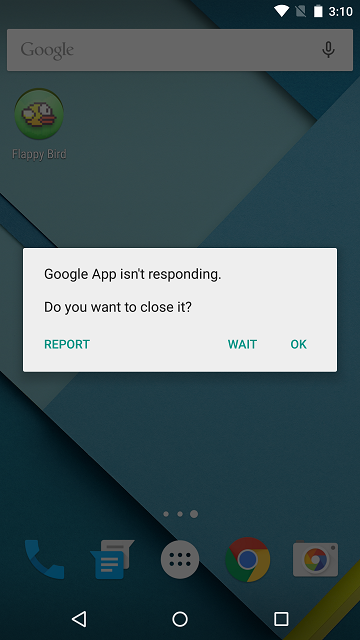
Security researchers at Trend Micro have discovered a new vulnerability that they claim is present in Android 4.3 Jelly Bean up to the latest Android 5.1.1 Lollipop, which constitute to almost half of the Android devices out there. The vulnerability, if and when exploited, could make your device silent, unable to make phone calls and completely unusable. This apparently is caused by the way Android handles media files.
The researchers already reported the issues to the Android engineering team back in May but the exploit is yet to be patched. Trend Micro explains that the bug is present in Android’s mediaserver service, which is used to index media files stored on the device. If a device tries to open a malformed MKV file, it causes the service to crash along with the entire operating system in the run to process it, thereby rendering the device unusable and preventing the user from interacting with it.
Android-dead
This will cause the device to become totally silent and non-responsive. This means that:
  • No ring tone, text tone, or notification sounds can be heard. The user will have have no idea of an incoming call/message, and cannot even accept a call. Neither party will hear each other.
  • The UI may become very slow to respond, or completely non-responsive. If the phone is locked, it cannot be unlocked.
mobile-shutdown-2
The report explains that the vulnerability can be exploited either via a website embedded with a malformed MKV file, or through a malicious app with an MKV file installed on a device that could cause the operating system to crash every time it attempts to turn on. With the latter approach, the malicious apps could be designed in a way so that it runs immediately every time the Android device restarts, therefore causing the operating system to crash upon boot.
As mentioned earlier, Trend Micro had already reported the vulnerability to Google on May 15, which was flagged as a low priority issue by the company and remains un-patched in the Android Open Source Project (AOSP). This bug comes in a few days after another team of security researchers discovered an exploit which could potentially allow malicious individuals to gain access to a device by simply sending a seemingly innocent text message to the targeted number.
Here’s a video demoing how a malicious app can be used to exploit this vulnerability.
Massive Android Flaw Certifi-gate Affects Millions Of Devices, Check If Your Phone Is At Risk

Massive Android Flaw Certifi-gate Affects Millions Of Devices, Check If Your Phone Is At Risk

Turn away now if you’re an Android smartphone user with a nervous disposition that has only been made worse with the recent spate of vulnerabilities within Google’s OS that have become public knowledge. A number of security researchers from Israel have yet more bad news for Android device owners after discovering a bug that could potentially allow malicious individuals to take control of an unwitting device through the distribution of a solitary text message. What’s even worse, is that unlike previously discovered Android vulnerabilities, this one doesn’t come with a simple fix.
There’s no better time or place than the annually held Black Hat Security Conference in Las Vegas to learn about vulnerabilities and potential flaws in popular operating systems. The latest bug to be found within Android, which incidentally has been given the name “Certifi-gate“, is extremely similar to a previously discovered bug that surfaced at the back end of last month, but differs in the fact that this issue is slightly more complicated due to the fact that it relates to how Android verifies – or doesn’t verify in this instance – installed apps with privilege permissions.
Android-Nexus-51.png
The specific apps outlined in the presentation by the Israeli team from Check Point Software Technologies are often referred to as mobile remote support tools, or mRST if you’re into abbreviated terms. Those specific applications are often used by assisting teams to provide remote based support when and if it’s required. Due to the fact that Google doesn’t ship Android with these apps installed – they are often added at a later date by carriers and manufacturers – and are not susceptible to verification of authenticity certificates even though the applications have elevated system privileges. That’s where things start to go wrong.
Certifi-gate
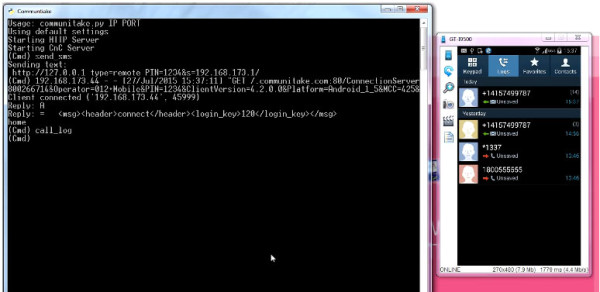
The immediate concern for Android users is that Check Point’s Ohad Bobrov, Avi Bashan et al have discovered a couple of relatively simple methods of spoofing certificates that can trick the mobile remote support tool for gaining almost unrestricted access to the target device. One method involved installing an innocuous looking flashlight application that requested only limited access to the device but was able to exploit the vulnerability to get full access. The second was via a seemingly innocent text message that had the capabilities of taking over the smartphone by triggering the remote access tool to issue a command.
Because the Black Hat Security Conference is all about discovering, sharing and ultimately fixing bugs, this one has already been addressed by Google and a number of device manufacturers. However, there are plenty of devices out in the wild that have yet to receive an update to fix this issue, and continue to remain vulnerable.
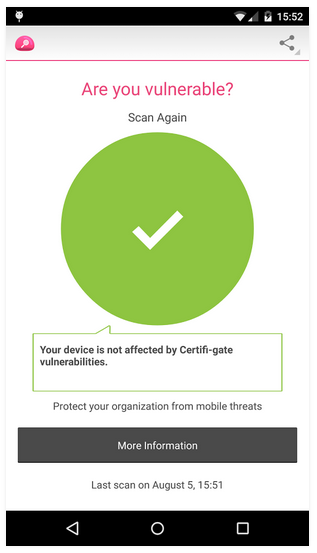
With that said, the team at Check Point have released an app called Certifi-gate Scanner on Google Play, with the purpose of helping users discover if their device is vulnerable to the exploits outlined here. You can download the app from here and check whether your phone is vulnerable to this hack or not.
Certifi-gate Scanner
You can follow us on Twitter, add us to your circle on Google+ or like our Facebook page to keep yourself updated on all the latest from Microsoft, Google, Apple and the web

Stagefright Bug: How To Check If Your Android Phone Is Vulnerable

Stagefright Bug: How To Check If Your Android Phone Is Vulnerable

It seems like the malware alarm bells have been going off constantly for Android users over the last two weeks. We’ve had poorly implemented security in Android devices with biometric detection. We’ve had remote support tool applications that grant full access to a target device when provided with spoof certificates, and then we had Stagefright, a critical Android vulnerability that provides access to a device on the back of a malicious media message being received. If you have an Android device, and want to find out if Stagefright is a potential issue for you, then this new detection app should be your first port of call.
We really can’t offer up any prizes for anyone who guesses what the aptly named Stagefright Detector App serves up in terms of functionality. The official app from Zimperium, the company that actually searched and presented findings on the bug, has built the application as a free-of-charge tool for individuals who have serious concerns about the security of their Android smartphone or tablet. The company may have provided patches to Google and manufacturers as part of the Zimperium Handset Alliance, but as the company rightly points out, “it may be years until they reach all devices”.
StageFright v2
The Stagefright Detector App is extremely easy to use and exists with two purposes in mind; to immediately inform you if the installed device is susceptible to the Stagefright vulnerability, and whether or not you need to update to a newer version of the installed operating system. In that sense, its simplicity means that it does exactly what it says on the tin and does it with relative ease and speed. Once the app is installed, simply tap on ‘Begin Analysis’ button for the process to begin, as can be seen in the screenshot below.
StageFright Detector
Stagefright is defined by Zimperium Inc. as a critical Android vulnerability. The bug within the Android operating system potentially affords malicious individuals, the ability to gain system or media access on the back of a malware-laden multimedia message.
StageFright Detector-2
The terrifying part of the whole process is that the media message is actually processed and executed by the OS without any user-interaction, effectively automating the whole device takeover. The infected multimedia message, which would contain a rather innocent looking video for example, then has the ability to delete itself before detection. The potential for damage is rather large which is why it’s important to check out this free app right now.
(Download: Stagefright Detector App for Android devices from Google Play).
You can follow us on Twitter, add us to your circle on Google+ or like our Facebook page to keep yourself updated on all the latest from Microsoft, Google, Apple and the web.

Download Google Play Store 5.8.8 APK

Download Google Play Store 5.8.8 APK

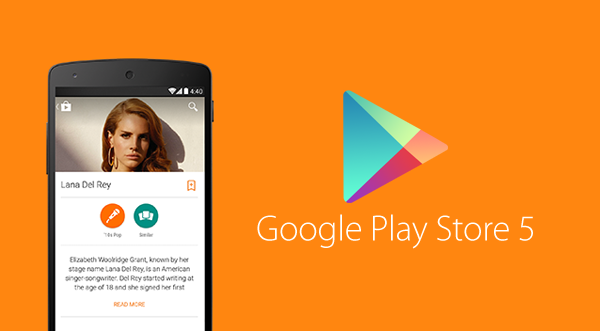
Google Play APK 5.8.8 Update: You can now download the latest version 5.8.8 of Google Play Store APK which brings with it a bunch of changes and bug fixes that users have been facing for quite a while. This release also includes more Material Design, Details Page, updated look for What’s New, Wearable sensors/activity data, Enterprise apps support, among other things. The download link below has been updated with latest version.
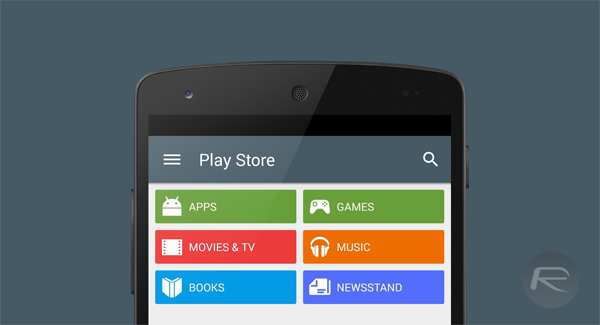
The all new Google Play Store carries more elements of Material Design compared to initial releases of Android Lollipop. Apps like Google Play Newsstand, Gmail, Google+ are all now updated with additional Material Design elements.
You will also notice that the app icon for the new Play Store carrier the new, flatter look, keeping itself in line with Material Design’s aesthetics.
Play Store 5
Apart from the design language, things have changed under the hood as well. Fire up the app and you will instantly recognize the subtle changes in animations for say, when accessing the slide-out drawer menu, along with changes in the iconography.
The What’s New section has been moved to the top and is now visibly highlighted in green, allowing for it to be prominently visible in each application listing.
Play Store 5 nexus 5
Even the Widget Suggestion icons for the home screen have changed, maintaining the flat, paper like design, as was expected. Google went to the extent of changing the notification icon for the status bar as well, after all, it is this attention to detail that ultimately counts.
Version 5.8.8 of Play Store should start rolling out to users over the course of the next few days, but, we can’t be entirely sure, and it may take longer. Regardless, if you do not want to wait for that update to hit your device, you can download the APK of this new version of Google Play Store from the link at the foot of this post, side-load it, and give it a run.
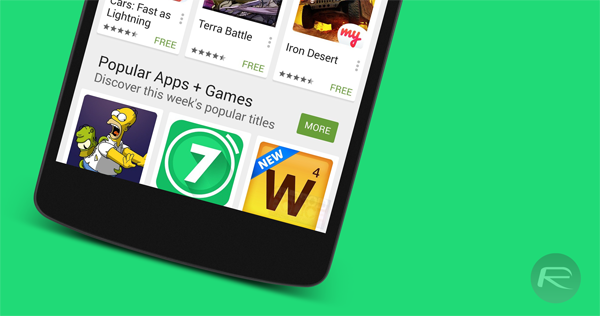
Play Store 5 nexus
Please note that this APK is not quite ready for Android M Developer Preview or ROM ports based on the Preview images. If you did not pay heed to this warning, and your Play Store is crashing, you will need to revert to an older version to get things up and running again.
If you happen to have tried the new Play Store and are running it on your device, do share your thoughts and opinions on the changes and any other improvements that we may have missed.
Download Google Play Store APK version 5.8.8 from here.
Make sure to check out our Android Apps gallery to explore more apps for your Android device.
You can follow us on Twitter, add us to your circle on Google+ or like our Facebook page to keep yourself updated on all the latest from Microsoft, Google, Apple and the web.

Google Is Now A Subsidiary Of A New Company Called Alphabet, Here Are The Details

Google Is Now A Subsidiary Of A New Company Called Alphabet, Here Are The Details

A new chapter in Google’s history unfolded earlier today, when co-founder Larry Page announced that the company and all its ventures will henceforth be operating under a new parent company called Alphabet Inc., spearheaded by Page himself as CEO and co-founder Sergey Brin as President.
Google has always been an exploratory company, never afraid to experiment with and invest in new ideas in a multitude of fields, no matter how crazy they may seem. This move, as Page explains in his post on the official Google blog and abc.xyz website, is to streamline these efforts while providing greater transparency and flexibility to each. Google Inc. itself will be “slimmed down” as part of this change with Sundar Pichai taking over the reigns as CEO. With Google becoming a subsidiary of Alphabet, it will be replaced by Alphabet Inc. as the publicly-traded entity while the ticker symbols for its shares (GOOGL, GOOG) remain the same.
Alphabet
The name ‘Alphabet’ is homage to the letters that make up a language or as Page sees it, “one of humanity’s most important innovations”, and Alpha – the measure of an investment’s performance against a benchmark index.
While this doesn’t mean much to the average Google consumer – apart from the fact that it is simply easier to understand – it isn’t one to be dismissed as daily noise. With a separate CEO running each arm with complete independence, such a restructuring should help drive more focus at Google as well as other ventures that don’t share much in products or services with the Internet giant, such as Capital, Nest, Ventures, Calico, the ISP Fiber, and X Labs, the research subsidiary that now works on Glass – all these will now be separate entities along with Google under the umbrella of Alphabet Inc. This means faster improvements for the Internet products we all use on a daily basis, more amazing ideas being explored, and possibly, relentless acquisitions. It should certainly have competitors rethinking their strategies.
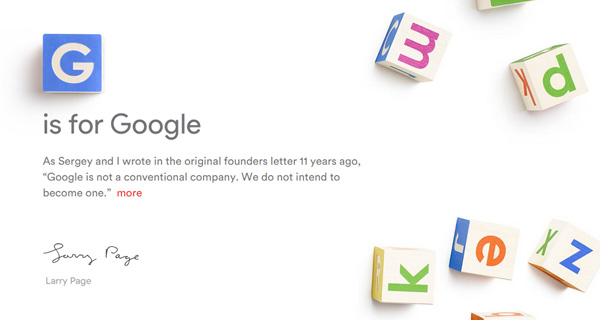
G-is-for-Google-abc.xyz-Alphabet
It is clear that Google is looking to move even faster in its quest for new, game-changing ideas. While this might have competitors of each Alphabet subsidiary rethinking their strategies, it spells exciting times ahead for us consumers as well as aspiring entrepreneurs looking for the support of a stable collective.
The official Alphabet website is up at abc.xyz.
(Source: Google, Alphabet)
You can follow us on Twitter, add us to your circle on Google+ or like our Facebook page to keep yourself updated on all the latest from Microsoft, Google, Apple and the web.

Download Stagefright Fix For Android Nexus 6, 5 And Other Devices

Download Stagefright Fix For Android Nexus 6, 5 And Other Devices

Google has finally posted a fix for critical Android vulnerability called Stagefright that came into limelight late last month. The official fix is available now both as an OTA update and as factory images that you can flash directly on your device.
Supported Nexus devices for the fix include: Nexus 4, Nexus 5, Nexus 6, Nexus 7 (2013), Nexus 9, and Nexus 10. Apparently, Nexus 7 (2012) users have been left out as the device is now out of three-year window for receiving security updates support from Google.
StageFright v2
Google has also supplied the fix to Android hardware partners. So those of you with non-Nexus Android devices such as Samsung Galaxy, HTC One M[x] and others will have to wait for the OEMs to start rolling out the fix, which hopefully should be soon.
For those who don’t know, Stagefright is a critical Android vulnerability which can enable hackers to take over any device by simply sending a malicious text message to the victim’s device. According to a research, it affects 95% of Android devices around the world. To learn more on how Stagefright works, check out our detailed post on it here.
To check if your Android smartphone or tablet is vulnerable to this bug, follow our guide here: Stagefright Bug: How To Check If Your Android Phone Is Vulnerable.
To get the OTA update for the fix, head to Settings > About phone > System updates on your Nexus device and tap on Check for Update button, from there, simply install the latest Android system update. The build number for this Android 5.1.1 system security update is LMY48I.
Alternatively, if you haven’t received the OTA yet, you can download the factory image directly from Google for your Nexus device and flash it. Direct download links for Android 5.1.1 LMY48I factory images are given below:
red-nexus-5.png
We highly recommend updating your Android device to this new update as soon as possible.
You may also like to check out:
You can follow us on Twitter, add us to your circle on Google+ or like our Facebook page to keep yourself updated on all the latest from Microsoft, Google, Apple and the web.

Fix iTunes On Windows 10 Not Detecting / Recognizing iPhone, Here’s How

Fix iTunes On Windows 10 Not Detecting / Recognizing iPhone, Here’s How

Upgraded to Windows 10 and now iTunes is not detecting or recognizing your iPhone? Is short, it doesn’t see your iPhone or any other iOS device at all? You are not alone. After the upgrade, many people are complaining that iTunes is not recognizing their iOS device when connected to a PC running Windows 10.
If you have this issue, unfortunately there is no one single fix for this. You need to go through multiple checks and try them one by one to see if they fix your problem.
Windows 10 iTunes
Reboot both your iPhone and the PC:
First and foremost, reboot both your iOS device and your computer and then connect to see if this solves the problem.
Try a different USB port on your computer:
If you haven’t already, try to connect your iOS device on a different USB port to see if this fixes the problem.
Install / Reinstall latest version of iTunes:
As of this writing, version 12.2.1.16 is the latest version. Make sure you have this latest version installed. If you’re having issues installing it, follow our guide here on how to install iTunes on Windows 10 the right way: iTunes Won’t Install On Windows 10? Here’s How To Fix It.
Install all Windows updates:
Navigate to Settings (WinKey+I) > Update & security > Windows Update and make sure your computer is up to date with all Windows updates installed.
windows update 10 2
Trust your computer prompt:
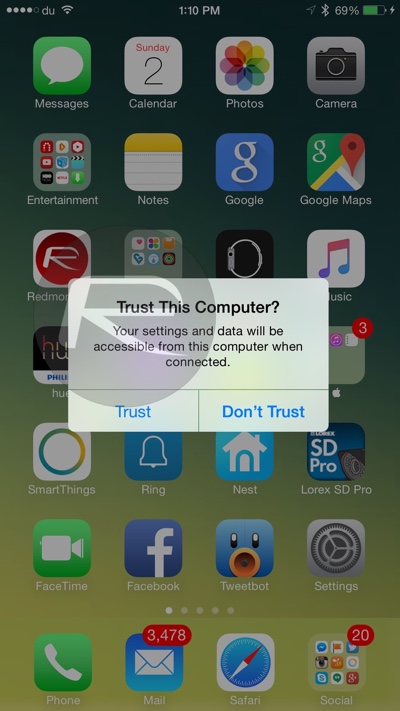
When you connect your iPhone, iPad or iPod touch to your computer and see ‘Trust This Computer?’ prompt on the device, make sure you tap on ‘Trust’ as shown in the screenshot below.
iPhone trust this computer
Apple Mobile Device Support, Service and USB Driver:
Check to see if Apple Mobile Device Support is installed from Control Panel > Uninstall a program. If it is not installed, you need to reinstall iTunes.
win10 itunes
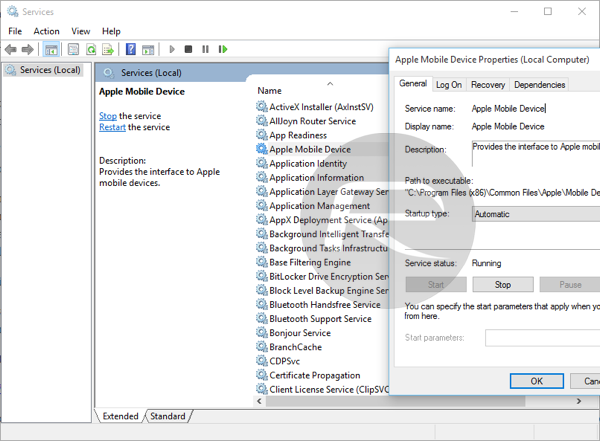
Restart Apple Mobile Device Service: Type services.msc in Run (WinKey+R) and hit enter. Locate Apple Mobile Device or Apple Mobile Device Service and then right click > Properties. Then click on Stop to stop the service. Click Start to run the service again. Reboot your computer.
win10 itunes 2
Check Apple Mobile Device USB Driver: Type devmgmt.msc in Run (WinKey+R) and hit enter. Expand Universal Serial Bus controllers entry and see if Apple Mobile Device USB Driver is listed.
Windows 10 itunes
If it is not listed, you need to reinstall iTunes and then connect your iOS device to your PC and wait for Windows to automatically install the driver. But if it is listed and has a “!” or “?” on it, you need to reinstall the driver. To do this:
  • Connect your iOS device to your computer and wait for like a minute.
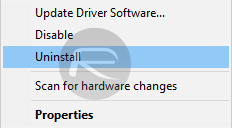
  • Now right click on Apple Mobile Device USB Driver and click on Uninstall. If asked, select “Delete the driver software for this device”.
win10 itunes 4
  • Once uninstalled, In the Device Manager window, right click on Universal Serial Bus controllers and then click on Scan for hardware changes.
win10 itunes 3
  • Windows will now automatically find and install the driver for you.
If everything fails:
If none of the above solutions help fix your problem, then it’s likely that a third-party software or driver on your computer is conflicting with iTunes and Apple’s services. You may want to do a clean install of Windows 10 on your computer to fix the problem. To do this, you can follow our guide here: How To Clean Install Windows 10 On Your PC The Right Way [Guide].
You may also like to check out:
You can follow us on Twitter, add us to your circle on Google+ or like our Facebook page to keep yourself updated on all the latest from Microsoft, Google, Apple and the web.
Advertisements